1. Download the program named as 'i-FunBox' from the web
2. Install the program in your computer.
You can choose English version when installing.
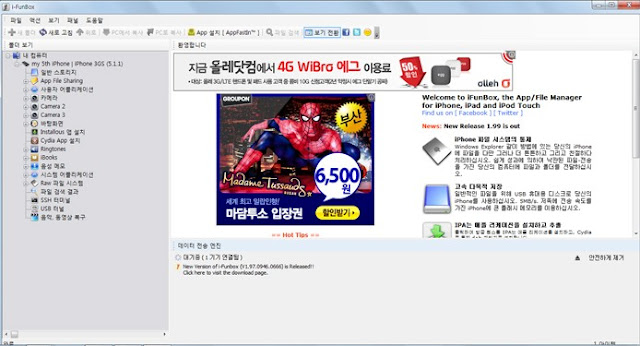
3. Connect your I-phone with your computer.
4. Execute iFunBox.
5. You can the menu 'User Application' on the left side.
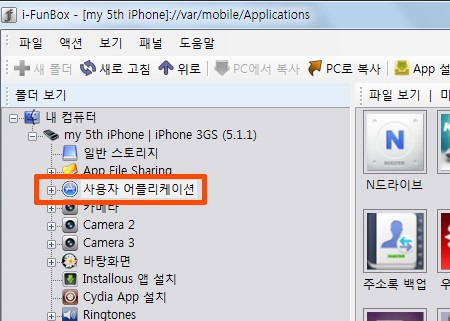
6. Double click the menu.

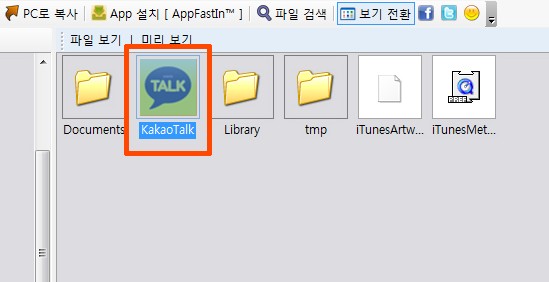
7. Click the KakaoTalk.
8. You can see 7 files having 'caf' as the extension name.
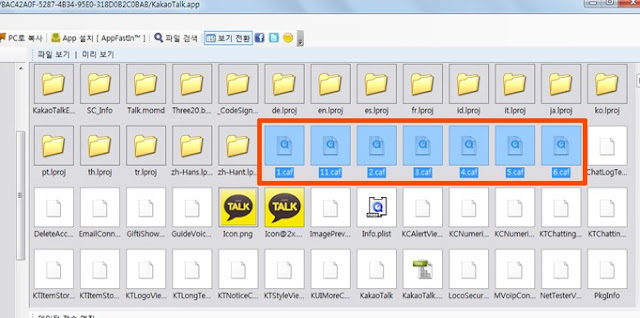
9. These files are the alarm files.(Don't click any other file)
10. 1.caf - TriAngle
2.caf - Pororong
3.caf - Water Drops
4.caf - Glass bead
5.caf - Horn
6.caf - DingDong
7.caf - feat.Obama
These are the original alarms.
11. First, you have to backup original ones just in case.
12. Drag the 7 files and select.
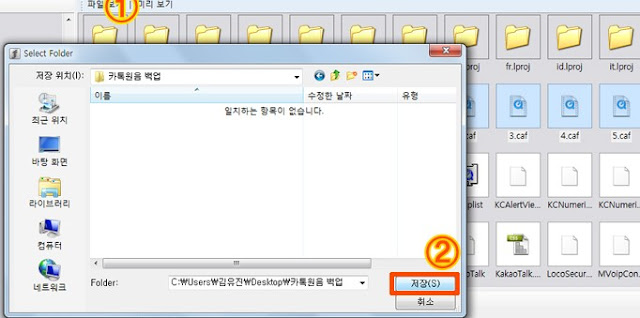
13. And then, Click the button 'Copy to PC' on the bar above and Save them in your PC.
14. It's time to change them into new alarms.
15. I sent fans wanting to receive JJong,Onew and Taemin's voice files.
(If you want, I'll send you them. email me - patatajkim@gmail.com)
16. Open the folder having the files.
17. Choose 7 files among them.
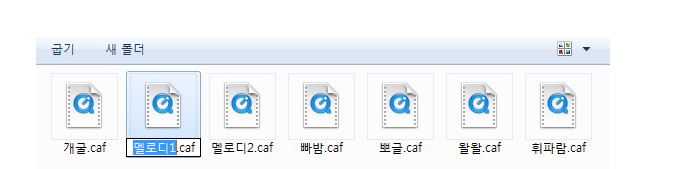
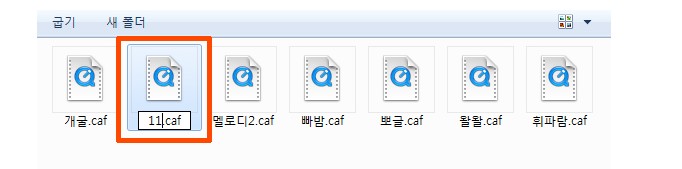
18. And change the names same as the names of the 7 files in iFunBox.
like 1.caf, 2.caf etc...
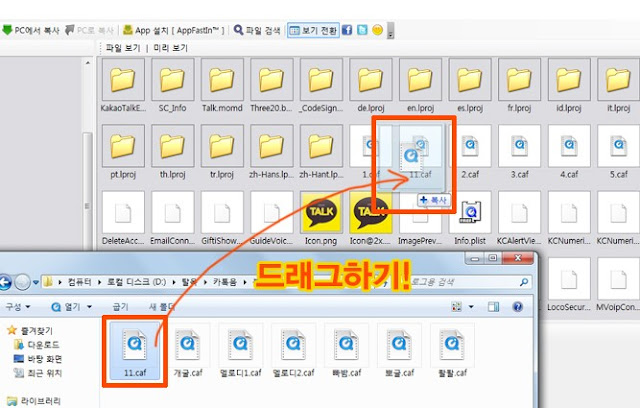
19. Next, Click and Drag the changed file and Cover the file having the same name one by one.
20. Almost done. after the processing, Turn off your iphone and reboot.
21. In the setting menu of KakaTalk, Try touching the files following.
1.caf - TriAngle
2.caf - Pororong
3.caf - Water Drops
4.caf - Glass bead
5.caf - Horn
6.caf - DingDong
7.caf - feat.Obama
22. When you want to hear the alarm bell even if you don't close out of KakaoTalk or when you send the message, follow this way.
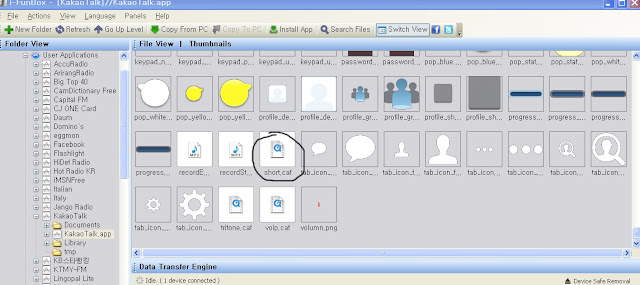
Change the short.caf file to the voice bell you want like doing before.
(You have to rename a voice bell file to short.caf then move it onto short.caf like you do thi others.
short.caf file in the second to last row in the iFunBox.
Don't forget to restart your iphone after finishing all of those processes.
P.S. -
Good Luck!! Guys~
I'll post about setting on the Android phone next time.
posted by patata


I found that all you have to do is to change chord.wav file on your facebook of iFunBox.